
FLAC and Lossless Audio Support on Apple Watch
Play FLAC, OGG and Opus lossless audio alongside MP3, M4A, AAC, WAV, M4B, WMA and APE — with a clear split between native and engine-decoded formats.
In short: TickPlay plays ten audio formats on Apple Watch. MP3, M4A, AAC, WAV and M4B are decoded natively by watchOS; FLAC, OGG, Opus, WMA and APE are decoded by TickPlay's own built-in engine. Video playback covers MP4, M4V, MOV and 3GP.
What problem it solves
Apple Watch has no native FLAC support. Anyone with a lossless library has to either convert files to AAC or give up on the watch entirely — which defeats the point of keeping a lossless collection in the first place.
How it works
-
Step 1
Transfer the FLAC, OGG or Opus files to the watch the same way as any other audio.
-
Step 2
TickPlay's built-in decoder engine handles formats that watchOS does not decode natively.
-
Step 3
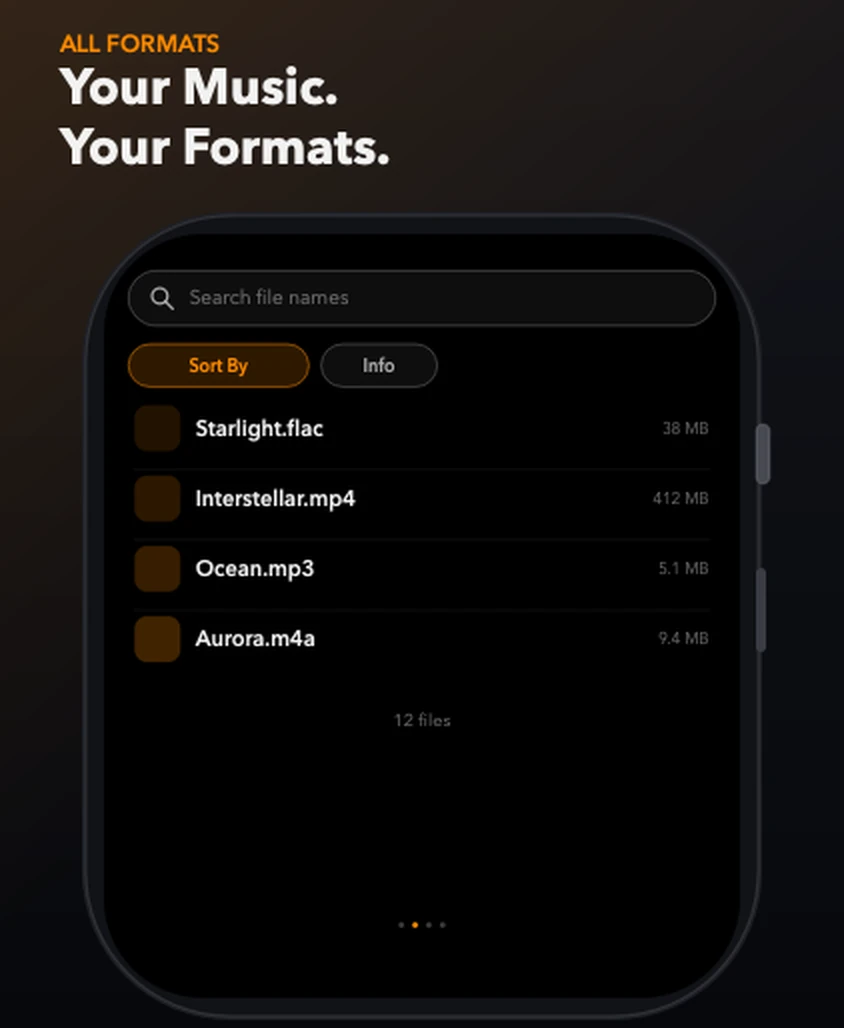
The Library tab lists every stored track regardless of format, with size and duration.
-
Step 4
Playback works identically across formats — same queue, same lyrics, same controls.
What you get
Lossless on your wrist
FLAC, OGG and Opus are decoded by TickPlay's own engine, so lossless audio plays without conversion.
Native formats stay native
MP3, M4A, AAC, WAV and M4B play through the system decoder, which keeps battery use low.
One library, mixed formats
FLAC, MP3 and M4A files sit side by side in the same list, the same queue and the same shuffle.
Limits and conditions
TickPlay is accurate about what it does and does not do. These are the conditions that apply to this feature:
- Formats marked as transfer-only can be stored on the watch but will not play.
- Some containers (for example MKV or AVI video) are stored but not decoded.
- Playback support depends on the format actually implemented by the app version you have installed.
Before you rely on it
TickPlay is a watch app. Installing and updating it goes through the App Store on a paired iPhone, and files have to be transferred from a computer before offline playback is possible. Playback itself needs neither.
Try it
TickPlay runs on watchOS 10 or later and is available on the App Store as a one-time purchase. See the guides for step-by-step help, or the frequently asked questions for short answers.
Sources
- TickPlay on the App Store — last verified 2026-10-10
Feature claims on this page are checked against the TickPlay App Store listing. Last verified 2026-10-10.