
Play Queue, Loop and Shuffle on Apple Watch
Build a queue from your stored tracks, then loop the playlist, shuffle it, or repeat a single song — all from the watch.
In short: TickPlay lets you build a play queue on Apple Watch from files already stored on the watch. You can jump to any track, shuffle the queue, loop the playlist or repeat a single song, all from the watch.
What problem it solves
Playing one file at a time is not how anyone listens to music. A watch player is only useful if it can keep going through a set of tracks and let you rearrange what comes next.
How it works
-
Step 1
Open the Play Queue from the player screen.
-
Step 2
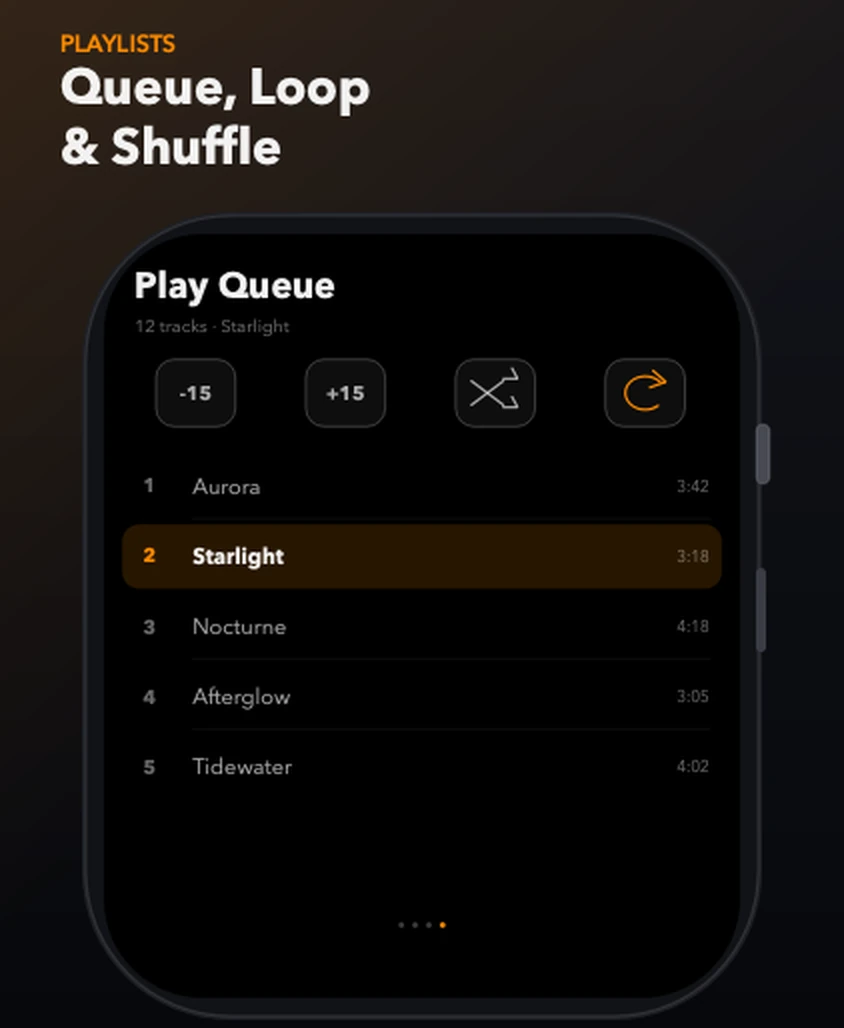
TickPlay shows the queue with the currently playing track highlighted and its position.
-
Step 3
Tap a track to jump to it, or use shuffle to reorder the queue.
-
Step 4
Choose playlist loop, shuffle or repeat-one from the same control row.
-
Step 5
Skip back or forward 15 seconds without leaving the queue.
What you get
Visible running order
The queue shows every track and its duration, with the current track highlighted so you always know where you are.
Loop, shuffle or repeat one
Three playback modes are one tap apart, right next to the skip controls.
Jump anywhere
Tap any row to move straight to that track instead of skipping through the list.
Limits and conditions
TickPlay is accurate about what it does and does not do. These are the conditions that apply to this feature:
- Queues are built from files already stored on the watch.
- TickPlay does not import playlists from other apps or services.
- Queue order is not synchronised across devices.
Before you rely on it
TickPlay is a watch app. Installing and updating it goes through the App Store on a paired iPhone, and files have to be transferred from a computer before offline playback is possible. Playback itself needs neither.
Try it
TickPlay runs on watchOS 10 or later and is available on the App Store as a one-time purchase. See the guides for step-by-step help, or the frequently asked questions for short answers.
Sources
- TickPlay on the App Store — last verified 2026-10-10
Feature claims on this page are checked against the TickPlay App Store listing. Last verified 2026-10-10.