
Synchronized LRC Lyrics on Apple Watch
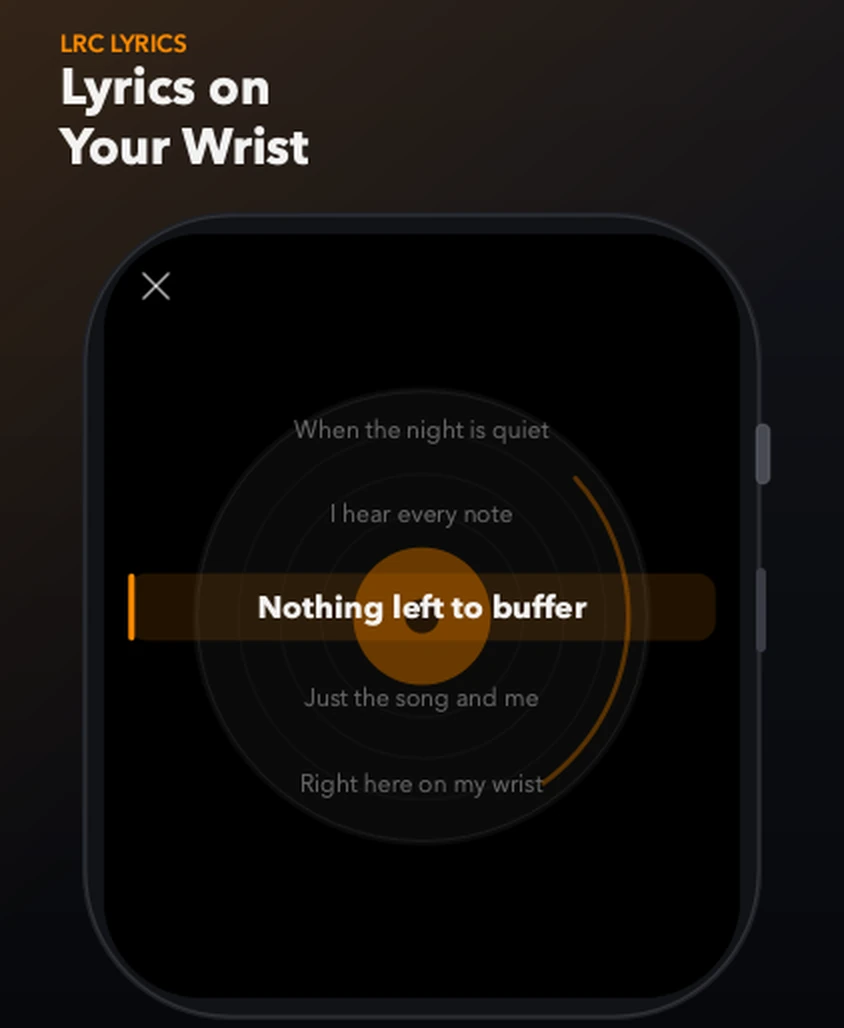
Load a .lrc file with the same name as the track and TickPlay scrolls the lyrics in sync, with the current line centred and highlighted.
In short: TickPlay displays synchronized lyrics on Apple Watch from a .lrc file that has the same name as the track. The lyrics load automatically and scroll with the current line centred and highlighted. UTF-8 and GB18030 encodings are supported.
What problem it solves
Lyrics on a watch are usually a static block of text, if they exist at all. Following along to a song you do not know is impossible when nothing moves in time with the music.
How it works
-
Step 1
Name the lyric file the same as the audio file, but with a .lrc extension (for example Starlight.flac and Starlight.lrc).
-
Step 2
Transfer both files to the watch.
-
Step 3
Lyrics load automatically — no manual import step.
-
Step 4
Tap the album artwork during playback to open the full-screen scrolling lyrics view.
-
Step 5
The current line is centred and highlighted as the track plays.
What you get
Loads automatically
A .lrc file sharing the track's name is picked up on its own. There is no import screen to visit.
Current line highlighted
The active line is centred and emphasised, so it stays readable at arm's length.
UTF-8 and GB18030
Both encodings are supported, which covers most lyric files found online.
Limits and conditions
TickPlay is accurate about what it does and does not do. These are the conditions that apply to this feature:
- Lyrics require a separate .lrc file; TickPlay does not fetch lyrics from the internet.
- The .lrc file must share the track's filename.
- Timing accuracy depends on the timestamps inside the LRC file itself.
Before you rely on it
TickPlay is a watch app. Installing and updating it goes through the App Store on a paired iPhone, and files have to be transferred from a computer before offline playback is possible. Playback itself needs neither.
Try it
TickPlay runs on watchOS 10 or later and is available on the App Store as a one-time purchase. See the guides for step-by-step help, or the frequently asked questions for short answers.
Sources
- TickPlay on the App Store — last verified 2026-10-10
Feature claims on this page are checked against the TickPlay App Store listing. Last verified 2026-10-10.