
Transfer Music to Apple Watch Over Wi-Fi
Send audio and video from a computer to the watch over the local network using a plain HTTP file server — no cable, no iTunes and no cloud.
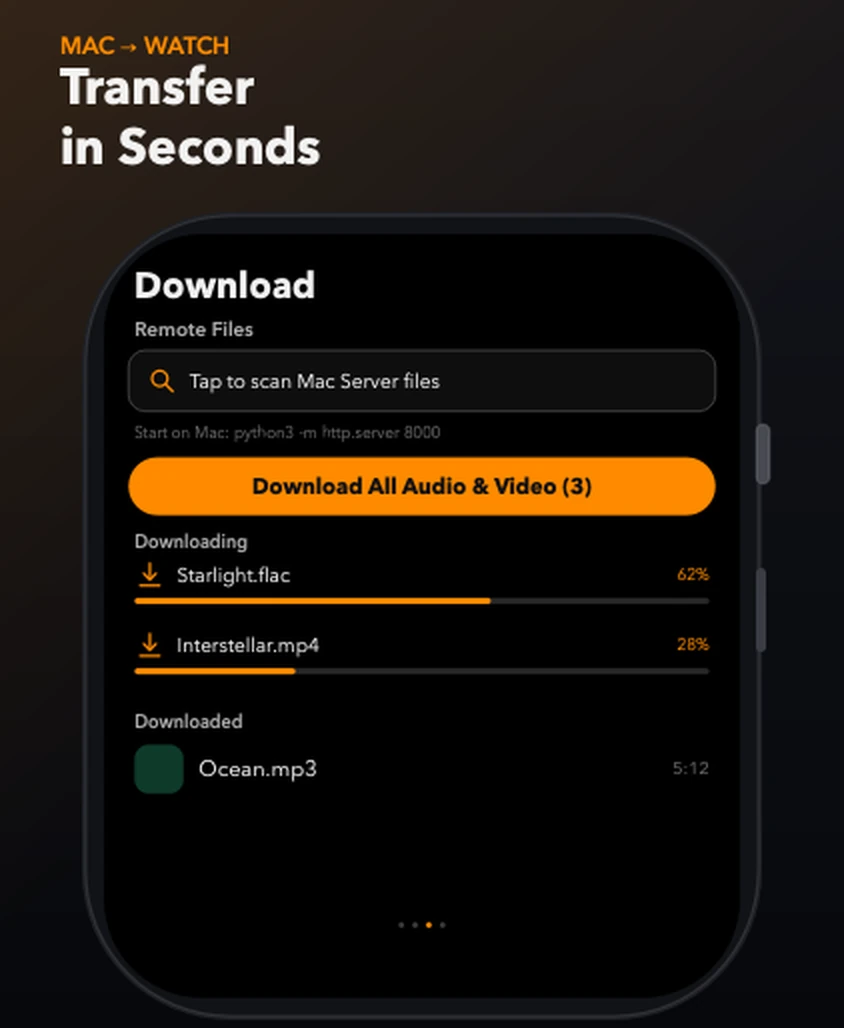
In short: TickPlay transfers files from a computer to the Apple Watch over your local Wi-Fi network. Start any HTTP file server on the computer — python3 -m http.server 8000 is enough — then scan it from the Download tab and pull the folder down. No cable, no iTunes and no cloud are involved.
What problem it solves
Getting files onto an Apple Watch normally means going through the iPhone, a companion app or a cloud service. That is slow, indirect, and impossible when the file lives on a desktop machine that has never been synced anywhere.
How it works
-
Step 1
On the computer, open a terminal in the folder that holds your music and run python3 -m http.server 8000.
-
Step 2
Make sure the watch and the computer are on the same Wi-Fi network.
-
Step 3
In TickPlay, open the Download tab and tap to scan the server's address.
-
Step 4
The Download screen browses one remote folder at a time; select everything you want and pull it down in one pass.
-
Step 5
Downloads are integrity-checked on arrival and filed automatically into audio and video.
What you get
Nothing to install on the computer
Any HTTP file server works. On macOS, Windows or Linux, python3 -m http.server is enough.
One folder at a time
The Download screen browses a single remote folder, so you can select all of it and transfer in one pass.
Integrity-checked on arrival
Every file is verified when it lands and flagged if it is incomplete, so a partial download never becomes a broken track.
Limits and conditions
TickPlay is accurate about what it does and does not do. These are the conditions that apply to this feature:
- The watch and the computer must be on the same local network.
- The transfer is started manually by the user; TickPlay does not sync in the background.
- A folder must be selected and downloaded before it can be browsed on the watch.
- Very large libraries are limited by the on-watch storage quota you choose.
Before you rely on it
TickPlay is a watch app. Installing and updating it goes through the App Store on a paired iPhone, and files have to be transferred from a computer before offline playback is possible. Playback itself needs neither.
Try it
TickPlay runs on watchOS 10 or later and is available on the App Store as a one-time purchase. See the guides for step-by-step help, or the frequently asked questions for short answers.
Sources
- TickPlay on the App Store — last verified 2026-10-10
Feature claims on this page are checked against the TickPlay App Store listing. Last verified 2026-10-10.